👉 This page compares different graphical user interfaces for NetHack, including the official Windows GUI, NetHack 3D, and GnollHack.
📖 Overview
| GUI | Description |
|---|---|
| NetHack Windows GUI | The official graphical interface for Windows that comes with standard NetHack. It offers a classic 2D tile-based experience. |
| NetHack 3D by JamesIV4 | A third-party graphical interface that renders the game in a 3D environment with a top-down or first-person perspective. |
| GnollHack | A modern NetHack variant and client featuring a highly advanced interface with high-resolution graphics, animations, and sound. |
📊 Feature Comparison
The situation of GUI features and capabilities on 1 June 2026 is the following:
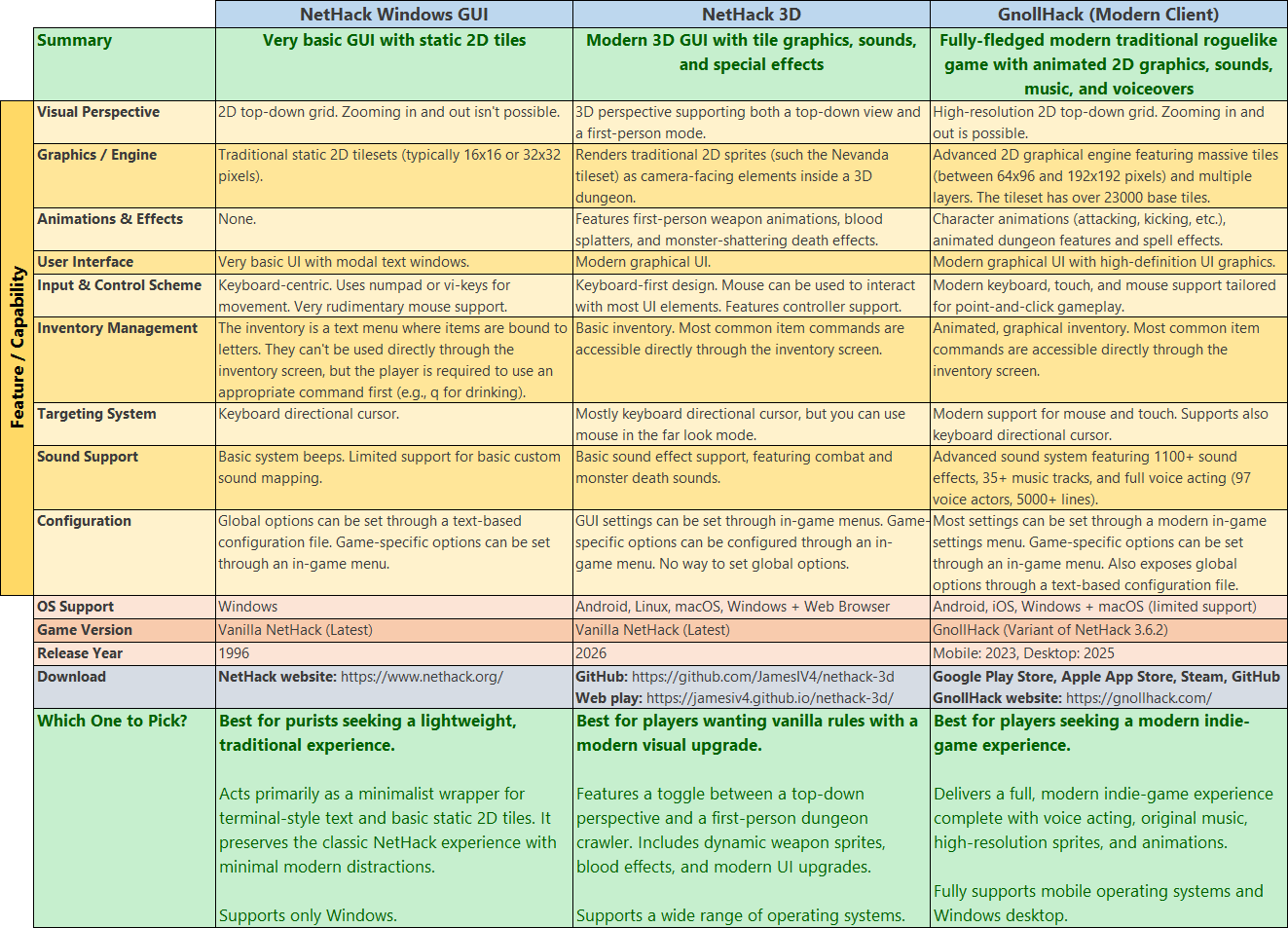
- "Over 23000 base tiles" means that GnollHack has over $23000 \times 64 \times 96$ pixels of custom tile graphics. That's over 138,368,000 pixels, which means over 16 full 4K screens of custom tile graphics. Some of these graphics are auto-generated, such as statue graphics, by our custom Tile Set Compiler. Animations also take up a lot of space.
🖼️ Screenshots
🖥️ NetHack Windows GUI
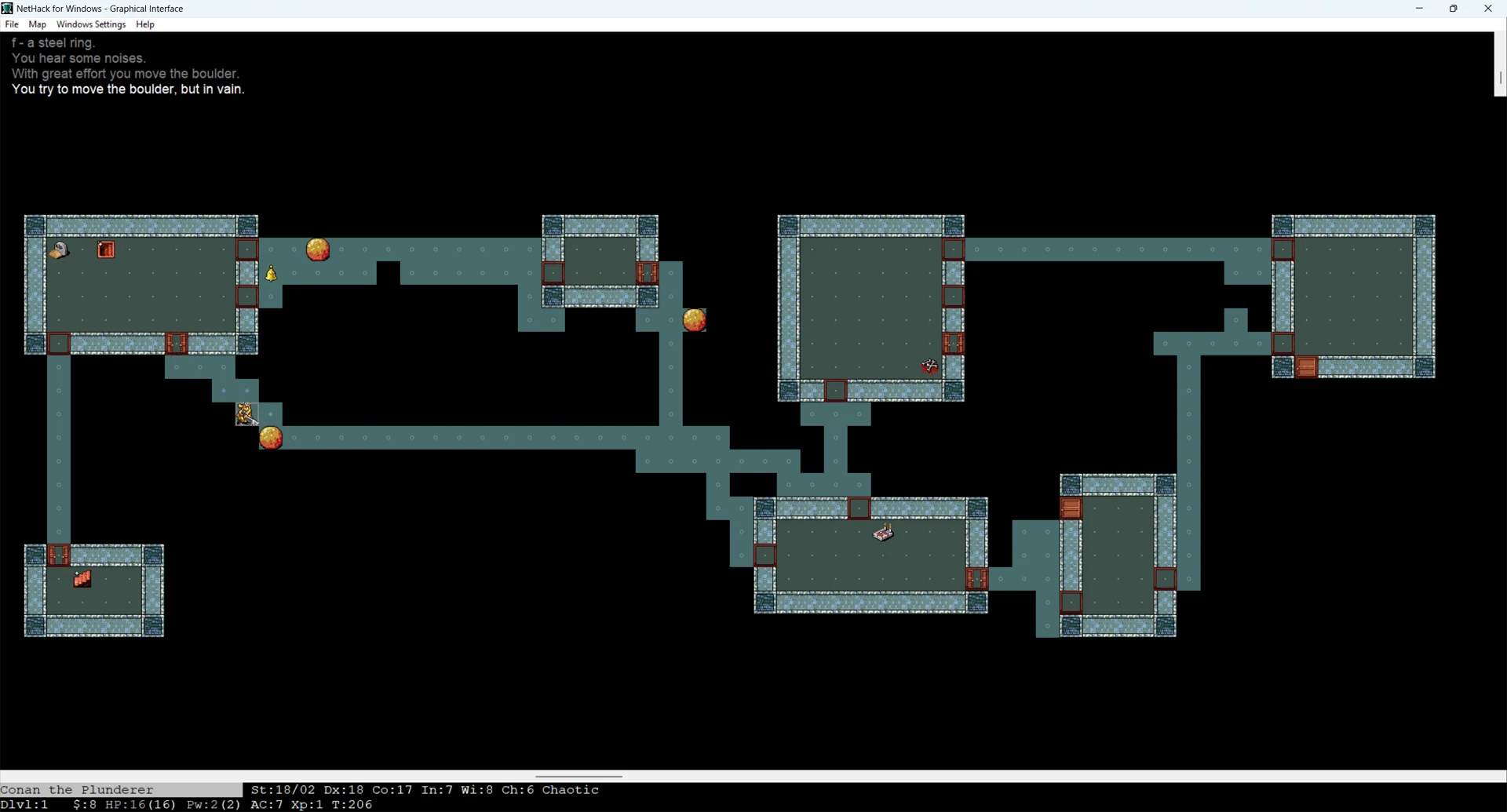
NetHack's Windows GUI looks like this with the Nevanda tileset (it's one of the best ones available; its tiles are 32x32 pixels in size):
🧊 NetHack 3D (by JamesIV4)
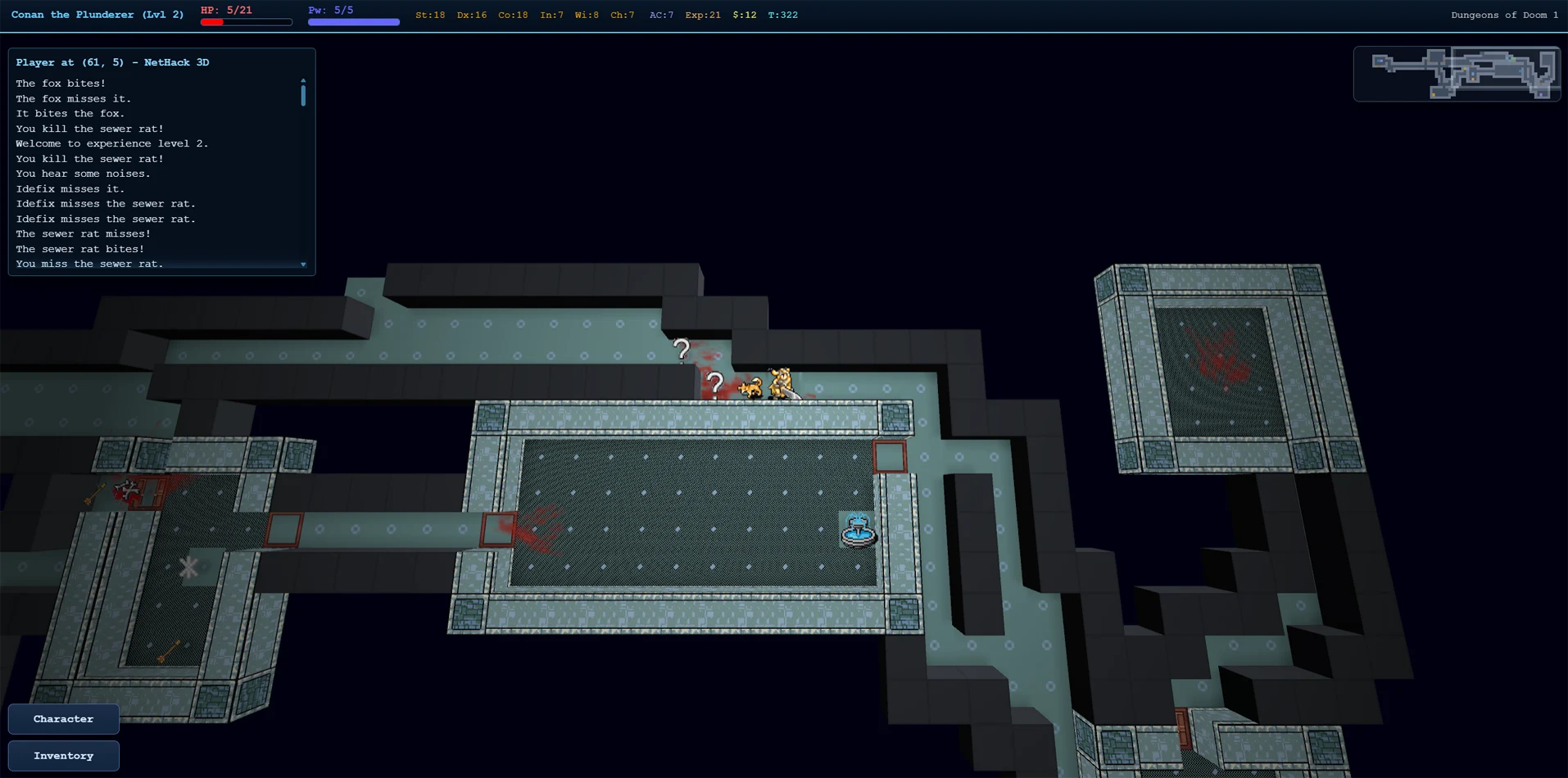
NetHack 3D looks like this in the top-down overview mode, using the Nevanda tileset (its tiles are 32x32 pixels in size):
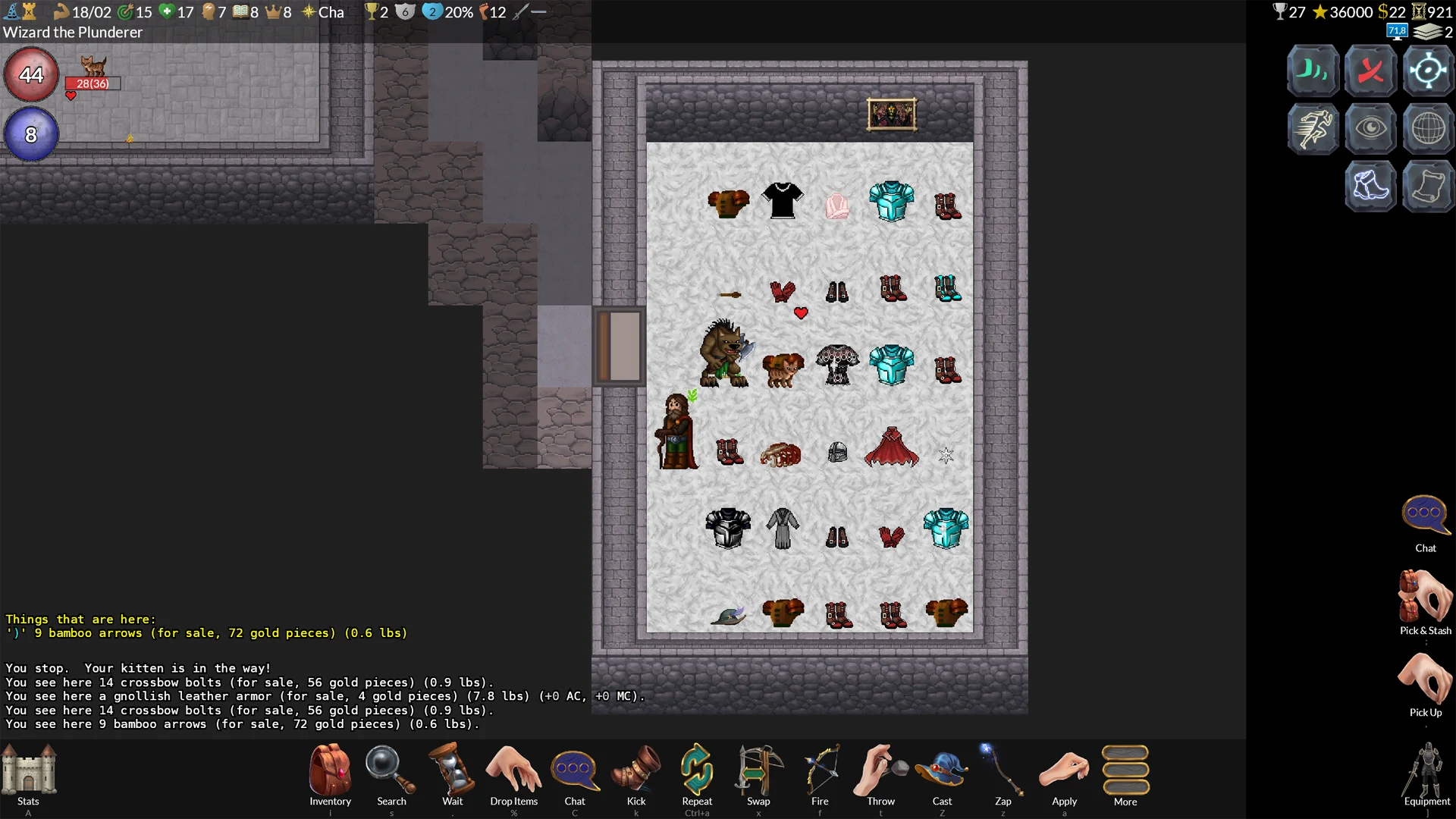
🐺 GnollHack (Modern Windows Client)
GnollHack has its own custom tileset. Its tiles vary in size. They are usually between 64x96 and 192x192 pixels in size, except for items that are 64x48 pixels in size.